The Scoring Samurai is a blog about what it actually takes to do serious orchestral work at a professional level—not just the craft, but the whole ecosystem. The tools that remove friction. The habits that protect the hours. The philosophy that keeps you at the desk when nothing is urgent and everything feels far away. Written by a working orchestrator for anyone who takes the work seriously.
Project Management 107
In the previous posts, I wrote about the front end of my project Shortcut: first collecting the project metadata, then using it to create a task structure in OmniFocus and a project note in Obsidian.
This final part is more physical.
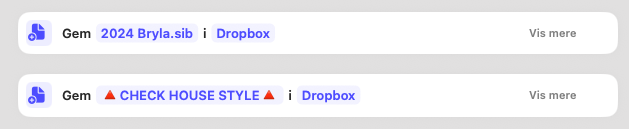
Once the project exists as data, actions, and notes, the Shortcut also creates the working environment around it: the folder structure in Dropbox, a copied Sibelius template, and a calendar event spanning the project’s actual dates.
This is the part that makes the project feel real.
Project Management 106
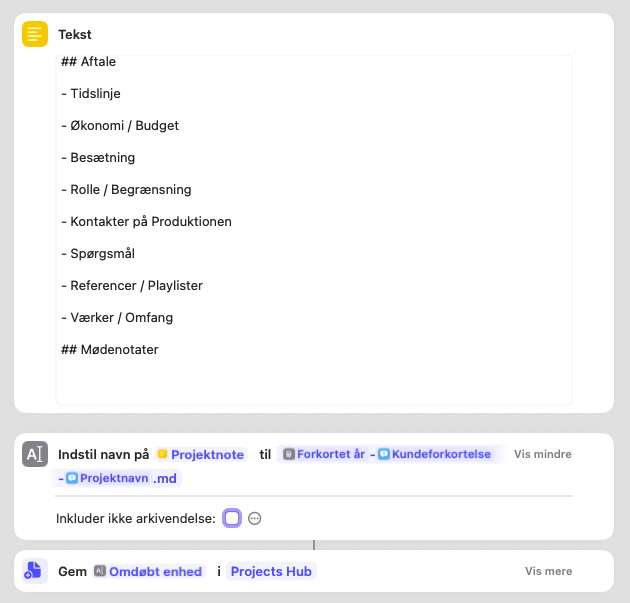
In the previous post I wrote about the first stage of my project Shortcut: collecting the project’s metadata.
That is the quiet part. Dates, abbreviations, project name. Useful, necessary, and not exactly what Hollywood makes posters about.
But the real payoff comes in the next step.
Project Management 105
When I start a new project, I do not begin by making folders. I begin by collecting data.
That may sound suspiciously like the least glamorous sentence ever written on a blog about creative work, but it turns out to be one of the most useful parts of my whole system.
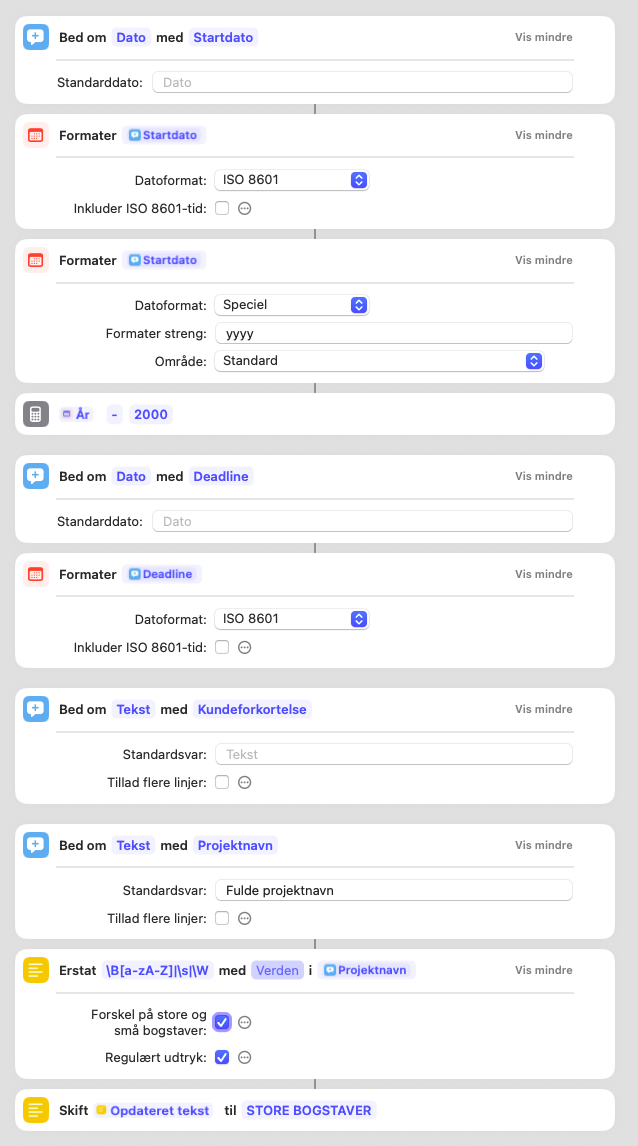
I use a macOS Shortcut to initialize new projects. Before it creates anything, it asks for the project’s basic metadata: start date, deadline, client abbreviation, and project name. That first step is doing more work than it may seem.
Build By Adding Not By Cranking
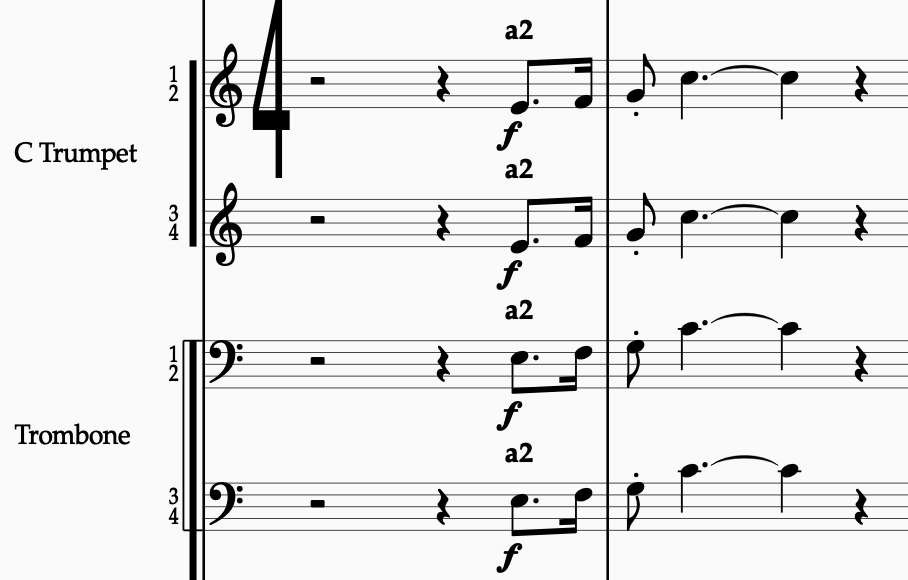
The most common instinct when a climax isn’t working is to make it louder. It doesn’t help. The passage was already loud. The fff wasn’t the problem. The problem was that the texture at fff sounded exactly like the texture at ff, just with more pressure. Adding volume without adding structure is the orchestrational equivalent of yelling the same sentence twice.
There’s a better principle.

Project Management 104
So far in this series, I’ve covered my to-do system and how I manage project notes. The third core element in my setup is what I call the production sheet — a spreadsheet that tracks all the moving parts of a project, from instrumentation and approvals to version numbers and delivery status.
I use Google Sheets for this. It’s shareable, works on any device, and gives me the flexibility I need without overcomplicating things. You can, of course, use Excel or Numbers if you prefer.

Project Management 103
Now it’s time to look at the next piece of the setup: the project note. This is where I track conversations, decisions, preferences, and everything that doesn’t belong on a checklist—but is too important to leave in my head.
When a new project enters my system, a dedicated project note is created automatically.
Like with the to-do list, this isn’t about which app you use. Use whatever tool you like—the Notes app, a Google Doc, a physical notebook if that’s your thing. I use Obsidian, mainly because it lets me link notes together in a flexible way. But again: this post is about the system, not the software.

Trust The Player (and Outsmart the Playback Engine)
Over the past few weeks, I’ve been spending some of my downtime following Michael Barry’s YouTube series Inside the Composer’s Mind. If you haven’t seen it, it’s a goldmine. Analytical without being dry. Practical without being prescriptive. Highly recommended.
In an episode on Rachmaninoff’s Symphony No. 3, he points out something small but telling: the snare drum has a crescendo to f—but no explicit starting dynamic.
That tiny omission is not an omission at all. It’s intent.

Project Management 102
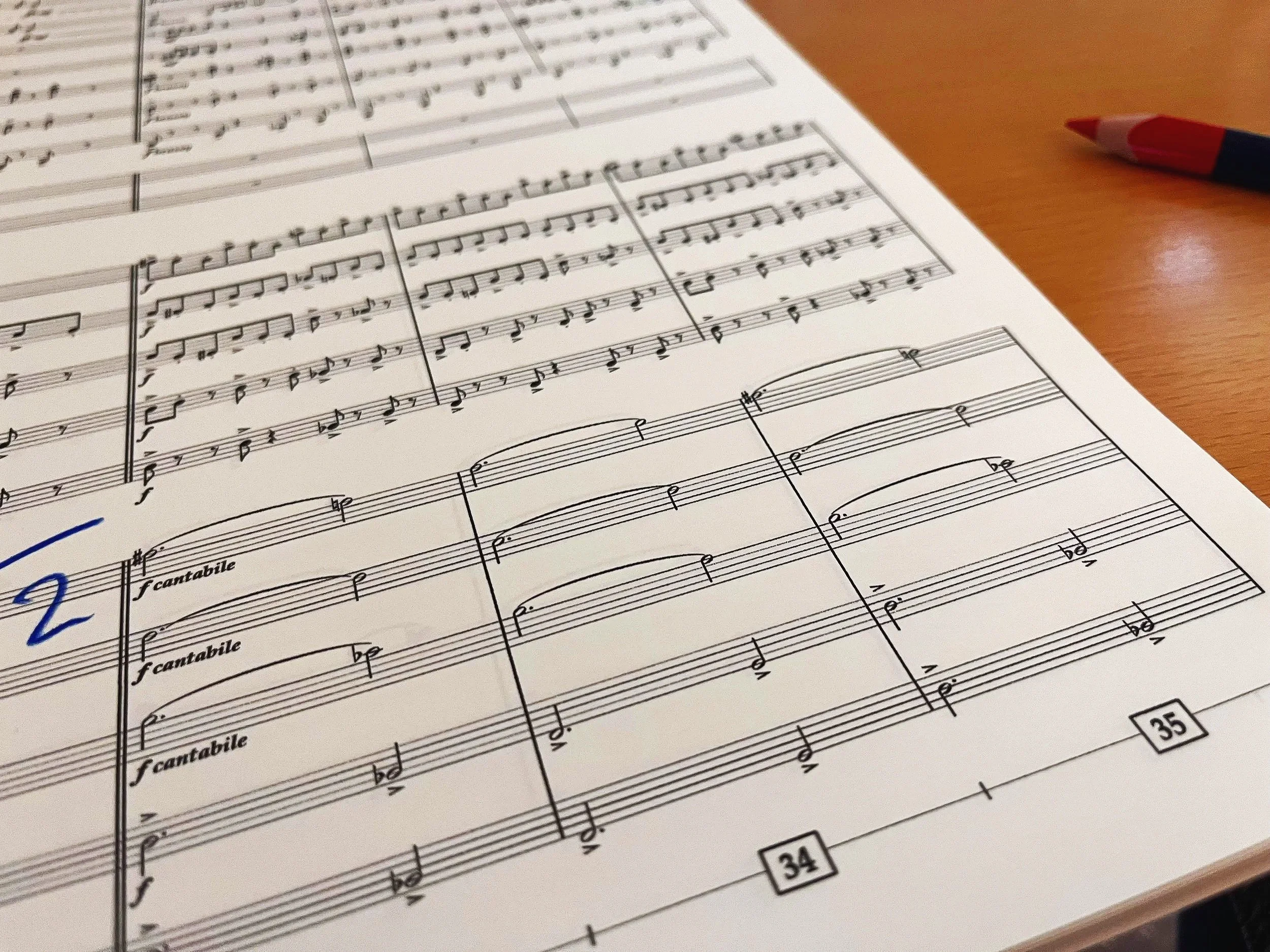
If you’re working on a creative project—whether it’s an orchestration, a concert arrangement, or a full score prep job—your instinct might be to just sit down and start writing music. And sure, the music is the core. But over time, I’ve learned that if I don’t manage the before, during, and after of a project properly, I pay for it later.
So let’s talk about the humble to-do list—and why it matters more than you think.
Project Management 101
In my line of work, a lot of what people notice happens at the very end — the clean score, the successful session, the files that arrive exactly as expected. But the real foundation for all that happens long before any notes are written. It begins with how I set up the project.

🎬 Proofreading Checklist: What the Score Hides (and the Parts reveal)
Every orchestrator knows this moment: the score looks perfect — but once you extract the parts, things fall apart. Missing dynamics, unclear slurs, or a mute marking that never made it across.
That’s why I treat the split/condense process as more than housekeeping. It’s a built-in proofreading step. Below is some of my personal checklist — three things I always double-check when moving from score to parts:
Fast Dynamics in Sibelius
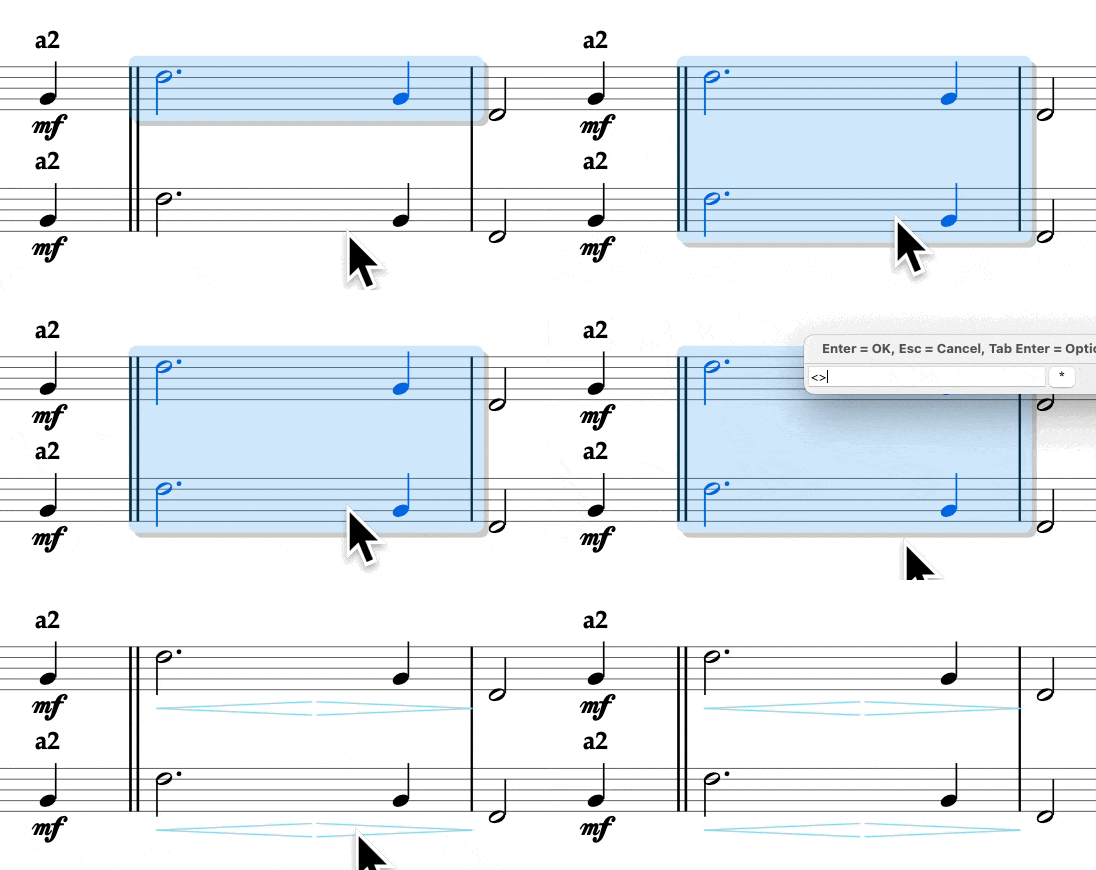
Typing dynamics in Sibelius is fine… until you realize you’ve typed ⌘E more times than actual notes. Select the note, create expression, type pp, escape twice—by bar 50 you’re basically a stenographer.
Finale users love to brag about their “one-touch” dynamics. Fair enough—they’ve had it for years. But Sibelius doesn’t have to be slower. With a few macros and a smarter setup, it can be just as quick—sometimes quicker.
Here’s the system I use:

When the Arrangement Clears the Way
In previous posts, I’ve written about how orchestration isn’t just about color—it’s about clarity, hierarchy, and making sure the right thing is heard at the right time.
This time, I want to show how much of that clarity can already be built into the arrangement itself.
And how, with just a bit of orchestration, you can make a score balance itself.
Getting Tempo Markings Right (Without Lifting a Pinky)
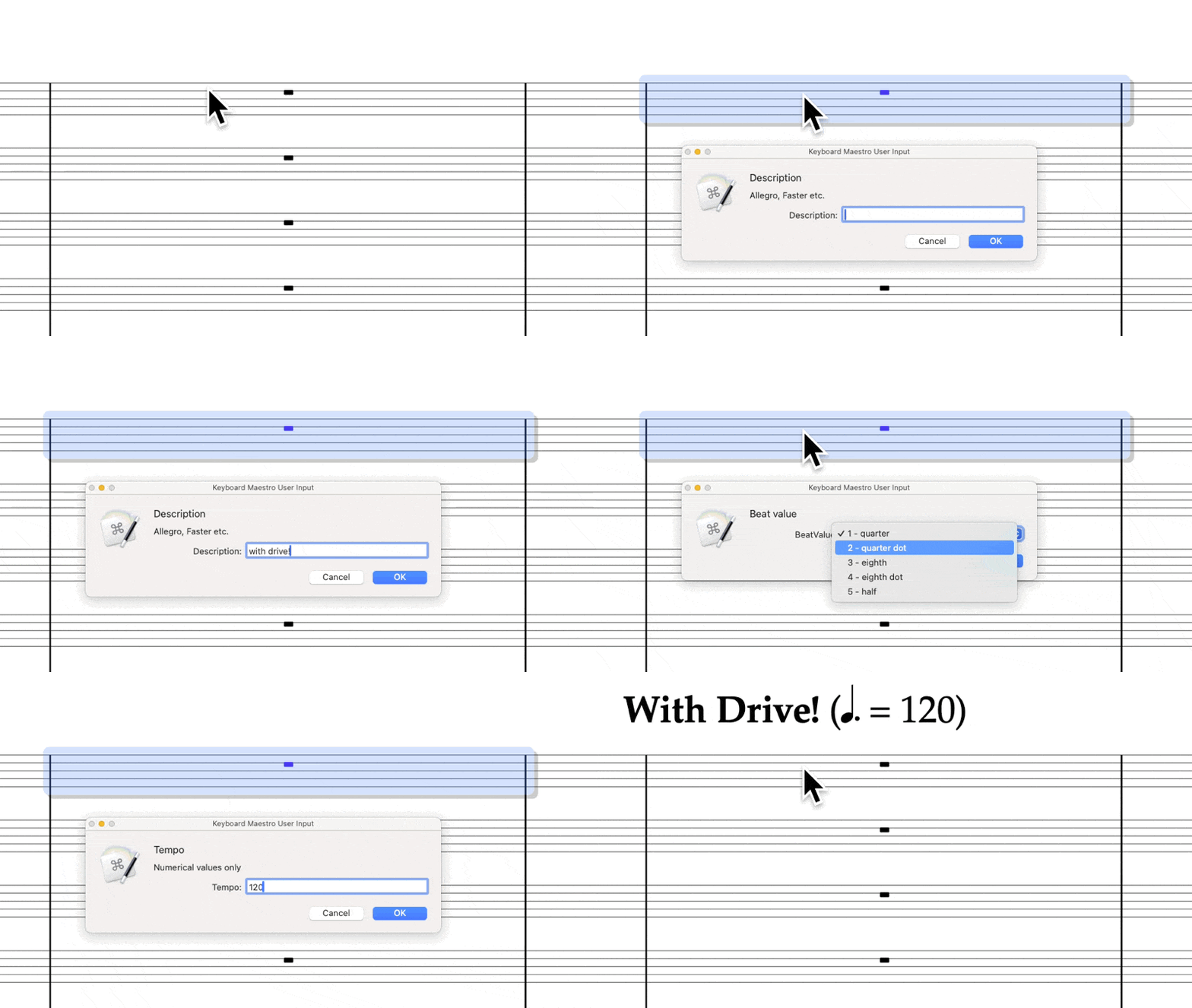
I got tired of messing it up.
Every time I tried to type a tempo change in Sibelius, I’d forget something: bold in the wrong place, a period instead of a dot, or lowercase when my house style clearly prefers Title Case. None of it was catastrophic — but each tiny fix meant another round of zooming in, selecting, retyping, or nudging things into place. And honestly, I’d rather not.
So I built a Keyboard Maestro macro to take care of it. It asks for the details, formats everything exactly the way I like it, and enters it like a well-trained assistant — no Manuscript Language, no Sibelius plugins, just fast, clean keystrokes.
Clarity by Register: Orchestrating Strings Like Schumann
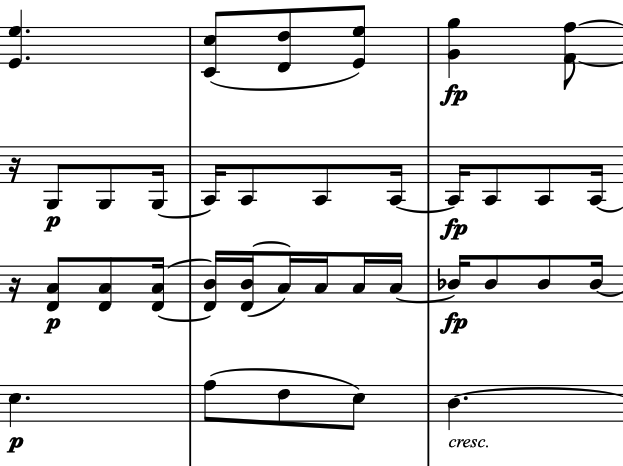
When orchestrating for full orchestra, we often rely on color to do the talking: clarinets smooth things out, horns give nobility, trumpets bring presence. But when you’re working within a string ensemble — especially in exposed chamber-like passages — color is off the table.
What you do have is register.
And if you learn to control it well, you can create clarity, balance, and direction without needing to touch a single fader.
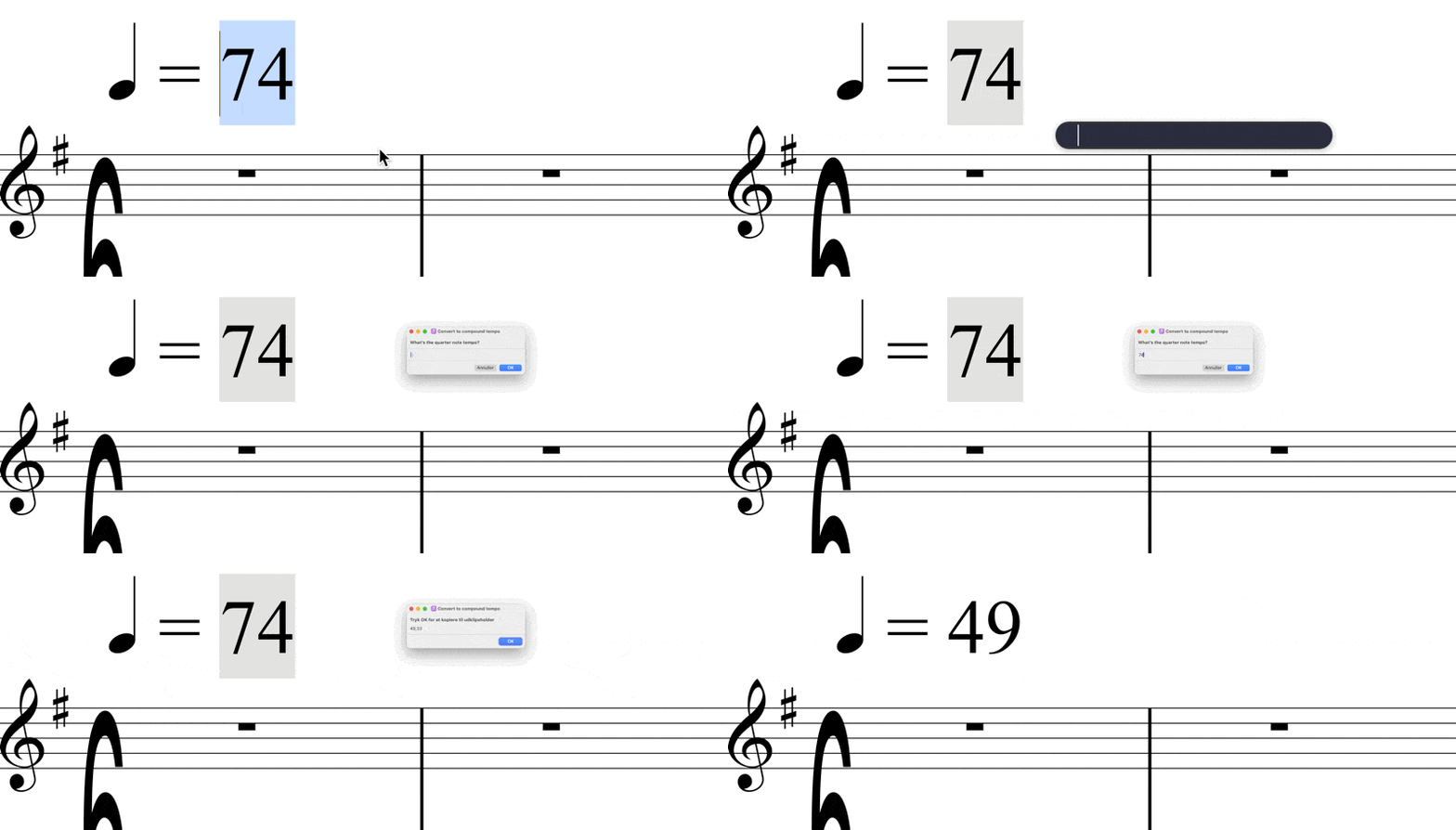
Shortcut Symphony: Orchestrate Your Workflow with Ease
One of the easiest places to start with automation when you already have a Mac is with the built-in app Shortcuts. It was introduced to iOS and macOS after Apple acquired the Workflow app, which was built around a similar structure.
At first, I didn’t see the use of it for myself, since all the example shortcuts felt gimmicky—things like ‘Remind me at work,’ ‘How many days until…,’ and ‘Send the last photo as an email.’ These didn’t add much value to my workflow. So, in this post, I’ll take you through some Shortcuts I actually use on a regular basis.
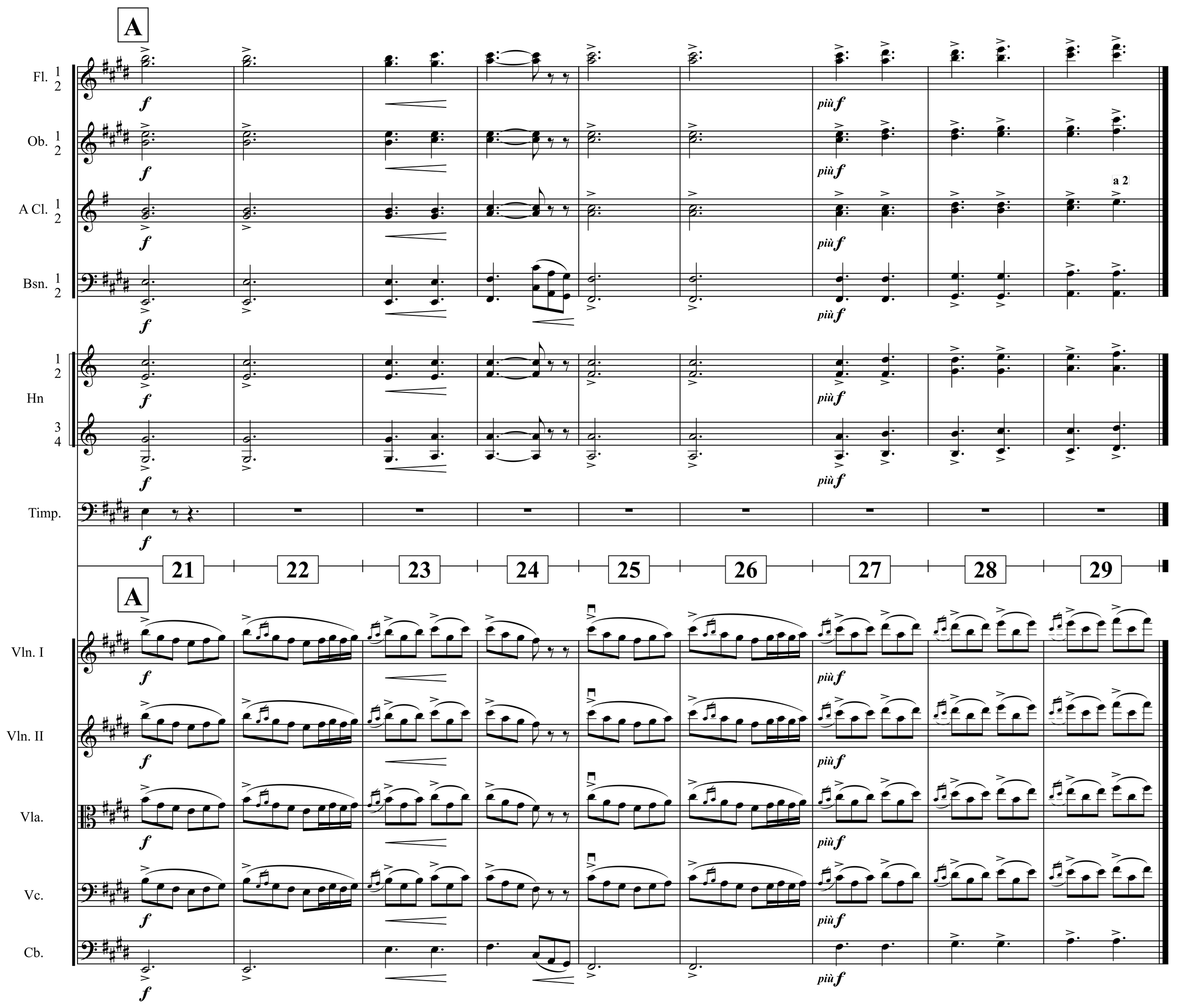
Orchestration That Climbs (and Lands Gently)
After a careful build-up of spacing, alternation, repetition, and that delicious 1+1=3 trick, Grieg finally lets the orchestra open up. But even now, at the high point, he doesn’t lose control. What we get isn’t bombast – it’s clarity in widescreen.
What’s especially elegant here is how Grieg structures this short passage without needing to change the musical material. He’s working with the same motivic idea across nine bars, but it doesn’t feel repetitive – because the structure evolves.

Templates 105: The Hidden Power of the Global Clipboard
Now that you’ve been crafting your own templates, setting up custom lines with special shortcuts, you’re probably flying through heaps of scores in no time! People are starting to look at you in awe, and suddenly, everyone wants you on their project. For a chance to break through, you should definitely accept every offer that comes your way.
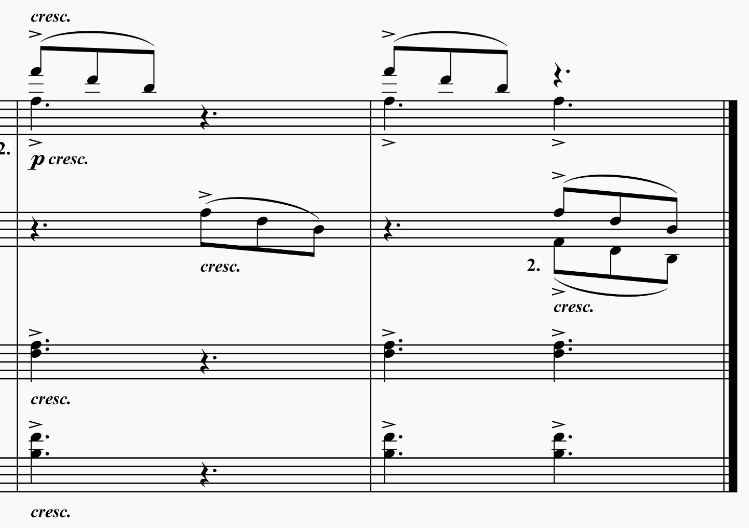
Repetition Without Repeating Yourself
In this follow-up, we’ll dive into bars 5–20 and watch how Grieg builds without ever cluttering. The orchestration grows, yes – but mostly by reusing, reshaping, and rebalancing familiar materials. If you missed the first post, you’ll want to read it. If you didn’t miss it – welcome back.

Don’t Bow Out: Mastering Bowing Input with Automation in Sibelius
I recently found myself in a situation as rare to an orchestrator as Halley’s Comet to the human eye: I was tasked with putting bowings into the parts. Mind you, I already had the bowings from a previous performance, so all I needed to do was input them for the next one. The catch? Everything had to be done in the same Sibelius file as the score, and the score already contained some bowings—added at the orchestrator’s discretion. That meant I needed a (smart) way to insert a whole lot of symbols that could be easily hidden in the score.

You don’t need a new color – you need space
A lot of orchestration is just balancing uniformity and contrast. That’s the whole game. You make things the same, or you make them different – and hopefully on purpose.
Most beginner orchestrators think of colour as something you add: new instruments, more motion, higher dynamics, a counter-line, a pedal, a harp flourish, maybe a triangle, and hey, why not let the clarinets do something for once. But the result is often the opposite of contrast. It’s clutter. It’s a musical desk drawer.