The Scoring Samurai is a blog about what it actually takes to do serious orchestral work at a professional level—not just the craft, but the whole ecosystem. The tools that remove friction. The habits that protect the hours. The philosophy that keeps you at the desk when nothing is urgent and everything feels far away. Written by a working orchestrator for anyone who takes the work seriously.
The Ten-Second Tax
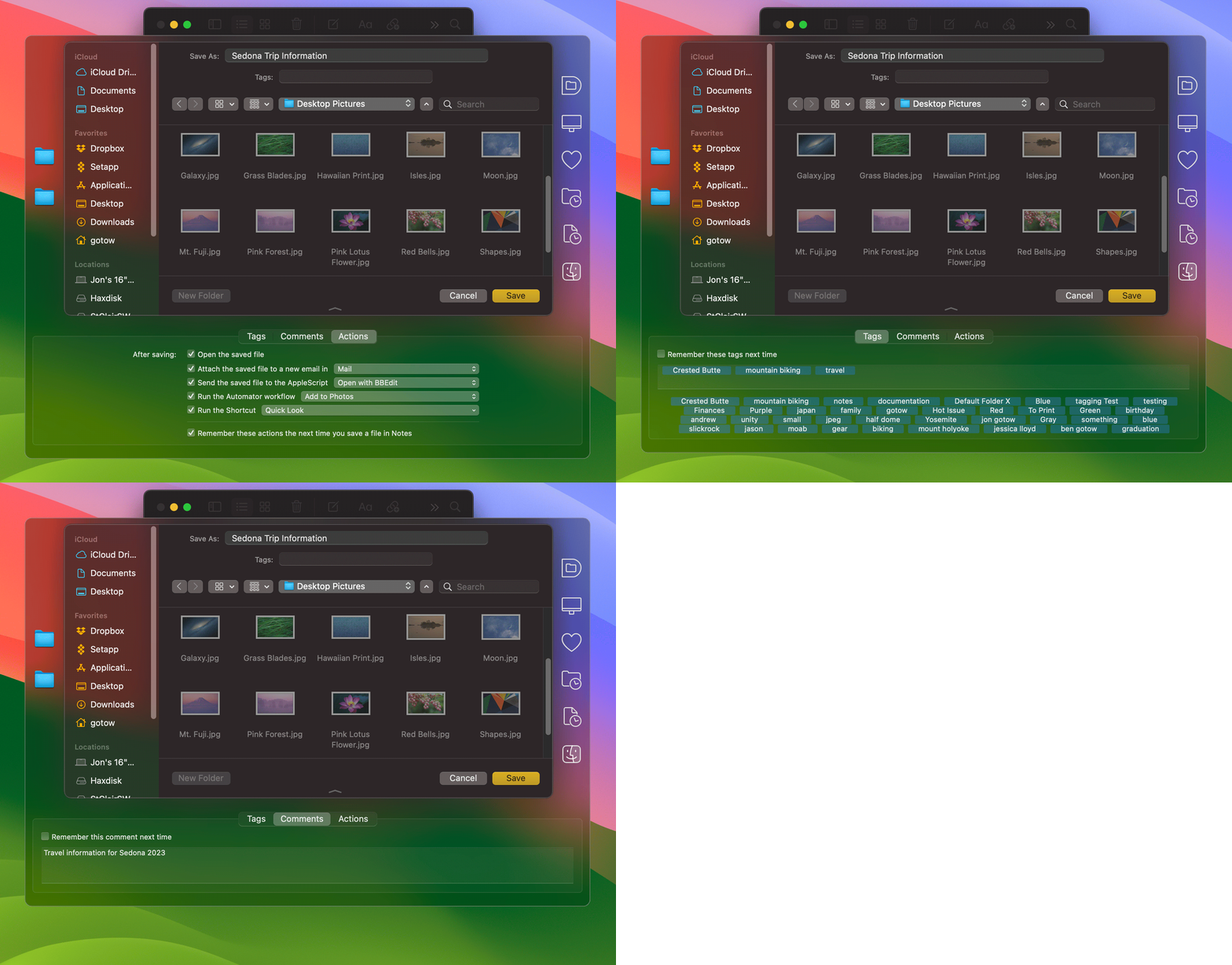
I picked up my MacBook Air the other day and went to save a file. And I froze. The Save dialog dropped me somewhere generic, and to get where I actually wanted to go I had to click my way down the whole path—folder by folder by folder—like it was 2009.
Something was off. It took me a second to realize what: Default Folder X wasn't running. One quick update later it sprang back to life, and just like that I'd shaved a solid ten seconds off every Open and Save dialog on the machine.
Project Management 107
In the previous posts, I wrote about the front end of my project Shortcut: first collecting the project metadata, then using it to create a task structure in OmniFocus and a project note in Obsidian.
This final part is more physical.
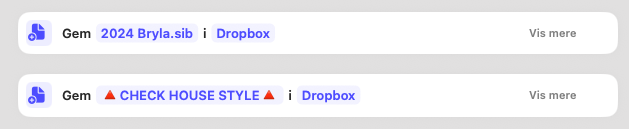
Once the project exists as data, actions, and notes, the Shortcut also creates the working environment around it: the folder structure in Dropbox, a copied Sibelius template, and a calendar event spanning the project’s actual dates.
This is the part that makes the project feel real.
Project Management 106
In the previous post I wrote about the first stage of my project Shortcut: collecting the project’s metadata.
That is the quiet part. Dates, abbreviations, project name. Useful, necessary, and not exactly what Hollywood makes posters about.
But the real payoff comes in the next step.
Protect the Hours
You know the matrix.
The two-by-two grid. Urgent versus important. Four quadrants. Quadrant II in the top-right corner—important but not urgent—where Covey told you to live. You've probably seen it in a book, heard it in a workshop, or scrolled past it on LinkedIn between two other pieces of advice you already knew.
Everyone knows the matrix.
And yet most days don't look like Quadrant II.
Project Management 105
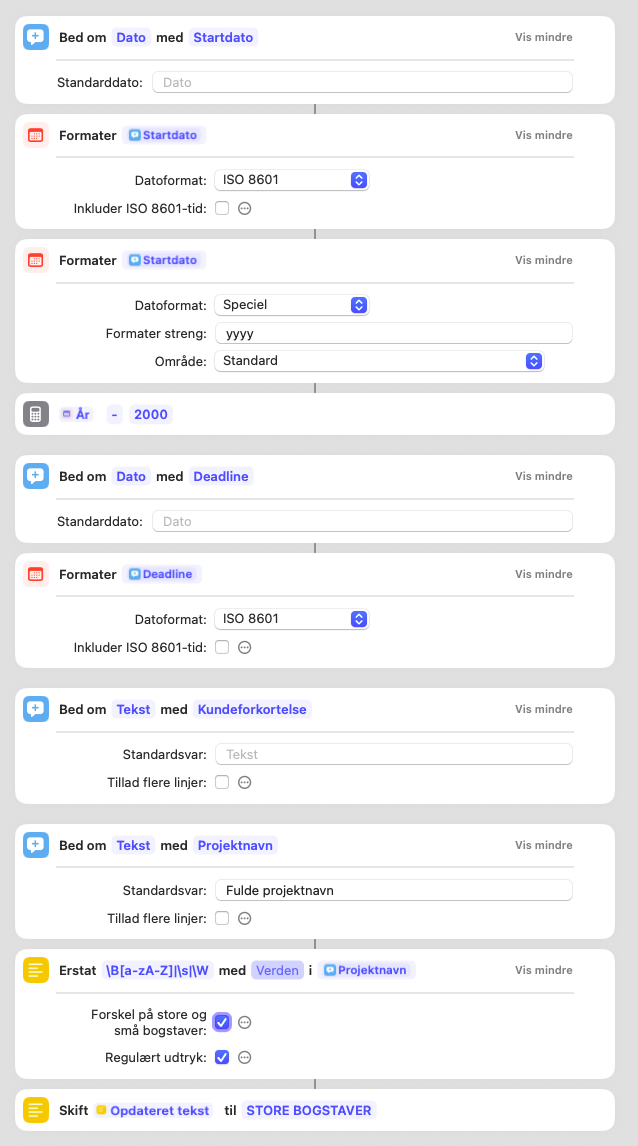
When I start a new project, I do not begin by making folders. I begin by collecting data.
That may sound suspiciously like the least glamorous sentence ever written on a blog about creative work, but it turns out to be one of the most useful parts of my whole system.
I use a macOS Shortcut to initialize new projects. Before it creates anything, it asks for the project’s basic metadata: start date, deadline, client abbreviation, and project name. That first step is doing more work than it may seem.

You Don't Wait to Feel Like It
There's a specific kind of morning I've come to recognize.
The coffee is good. The light is right. The desk is clear. And still—there's a pull toward everything else. Email. Admin. Reading about the work instead of doing it. Cleaning the portafilter for the second time.
It doesn't feel like laziness. It feels almost rational. I'll start when I'm ready. When I'm in the right headspace. When I feel like it.
Steven Pressfield has a name for what's happening in those moments.
Build By Adding Not By Cranking
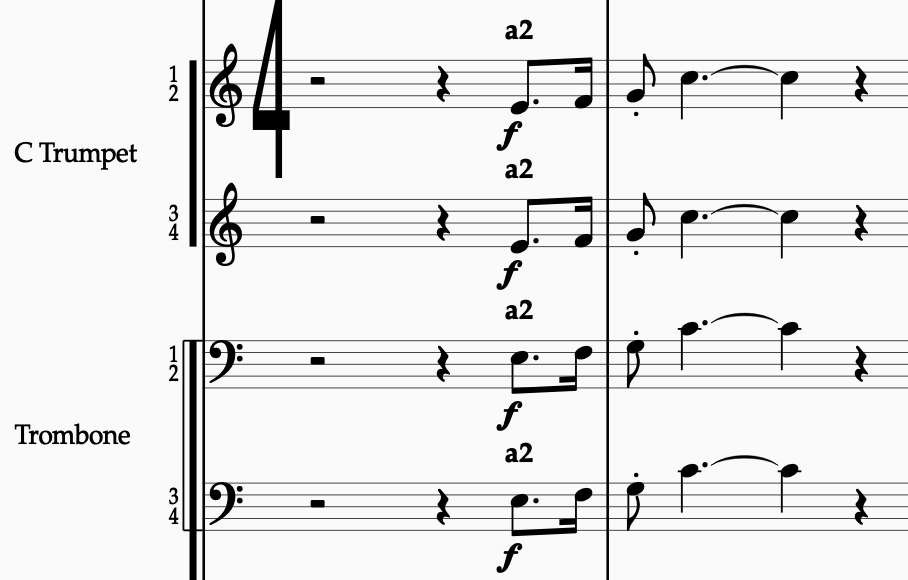
The most common instinct when a climax isn’t working is to make it louder. It doesn’t help. The passage was already loud. The fff wasn’t the problem. The problem was that the texture at fff sounded exactly like the texture at ff, just with more pressure. Adding volume without adding structure is the orchestrational equivalent of yelling the same sentence twice.
There’s a better principle.
Hierarchy vs. Territory (and why My Score is a dojo)
In The War of Art, Steven Pressfield warns artists against defining themselves hierarchically—constantly looking up and down, measuring success by comparison, and evaluating every move by the attention it draws. It’s a trap. And I’ve stepped in it more than once.

Project Management 104
So far in this series, I’ve covered my to-do system and how I manage project notes. The third core element in my setup is what I call the production sheet — a spreadsheet that tracks all the moving parts of a project, from instrumentation and approvals to version numbers and delivery status.
I use Google Sheets for this. It’s shareable, works on any device, and gives me the flexibility I need without overcomplicating things. You can, of course, use Excel or Numbers if you prefer.

Project Management 103
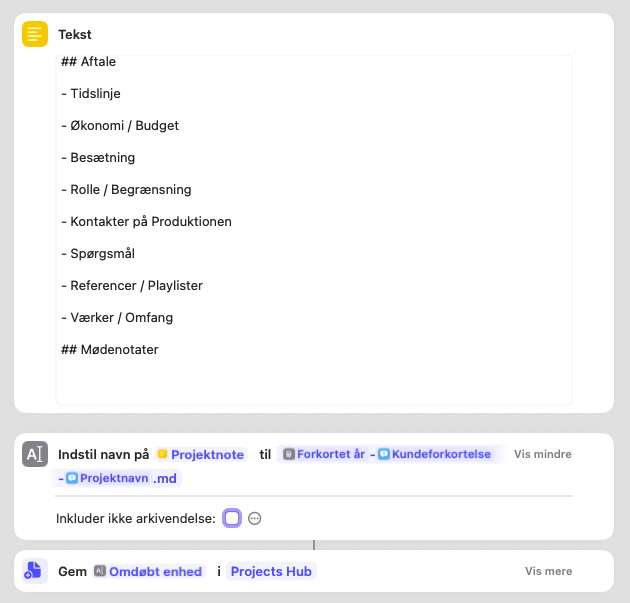
Now it’s time to look at the next piece of the setup: the project note. This is where I track conversations, decisions, preferences, and everything that doesn’t belong on a checklist—but is too important to leave in my head.
When a new project enters my system, a dedicated project note is created automatically.
Like with the to-do list, this isn’t about which app you use. Use whatever tool you like—the Notes app, a Google Doc, a physical notebook if that’s your thing. I use Obsidian, mainly because it lets me link notes together in a flexible way. But again: this post is about the system, not the software.
What’s Your Territory?
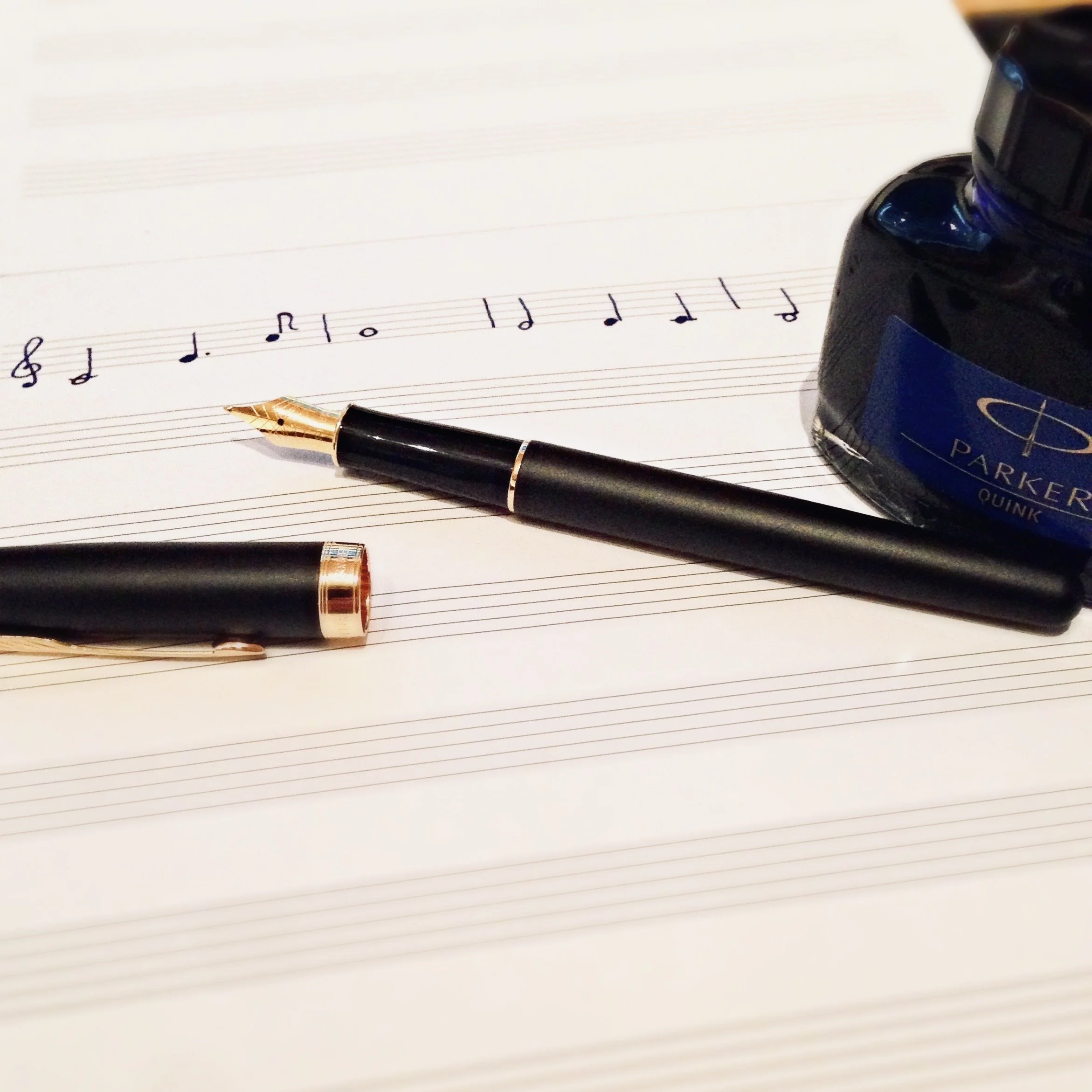
There’s a quiet joy in having a room where things are just mine.
Not mine to own, but mine to work in.
In The War of Art, Steven Pressfield calls this your territory – a place you return to, not for applause, not for permission, but for sustenance. Arnold Schwarzenegger had the gym. A painter has the studio. A runner has the trail. A monk has the mat.
I have the score.

Trust The Player (and Outsmart the Playback Engine)
Over the past few weeks, I’ve been spending some of my downtime following Michael Barry’s YouTube series Inside the Composer’s Mind. If you haven’t seen it, it’s a goldmine. Analytical without being dry. Practical without being prescriptive. Highly recommended.
In an episode on Rachmaninoff’s Symphony No. 3, he points out something small but telling: the snare drum has a crescendo to f—but no explicit starting dynamic.
That tiny omission is not an omission at all. It’s intent.
Project Management 102
If you’re working on a creative project—whether it’s an orchestration, a concert arrangement, or a full score prep job—your instinct might be to just sit down and start writing music. And sure, the music is the core. But over time, I’ve learned that if I don’t manage the before, during, and after of a project properly, I pay for it later.
So let’s talk about the humble to-do list—and why it matters more than you think.

Espresso, Orchestration, and the Discipline of Small Things
There’s a saying I keep coming back to: The way you do anything is the way you do everything.
At first, it sounds like motivational fluff. But over the years, it has quietly become one of the most practical ideas in my life. Not a rule, not a pressure – just a lens. A way to see the connection between the small and the large. The trivial and the meaningful.
This post is about how I’ve come to believe in that connection – through shirts, espresso, phrasing, and a few burnt collars.
Project Management 101
In my line of work, a lot of what people notice happens at the very end — the clean score, the successful session, the files that arrive exactly as expected. But the real foundation for all that happens long before any notes are written. It begins with how I set up the project.

This Year, I’m Not Writing a Symphony Before Breakfast
There’s a particular kind of January optimism that smells like cinnamon, brand-new calendars, and overly ambitious to-do lists. Each year, we sit down and declare war on our bad habits. This year, we say, I’ll wake up at 5am. I’ll run. I’ll meditate. I’ll write a symphony. Sometimes all before breakfast.
Twelve Days of Orchestration
Forget partridges in pear trees. Here’s a holiday game: twelve tiny orchestration tricks, one for each day.
As we approach the final week of December, I’m usually long past the Christmas playlists. Still, even when Sleigh Ride fatigue has set in, there are certain colours and textures that instantly signal “holiday” to my ear. I’ve gathered a short list of the little details I catch myself reaching for — the subtle touches that bring a bit of December into the room, even when no one has asked for anything festive.
Year’s End Reset
December is noisy: deadlines, shopping, family logistics. But once the concerts are played and the cookies are eaten, there’s a pocket of silence. Everyone has their out-of-office set until the first Monday of January anyway, so the world slows down. Those quiet days are my favorite time for a “Year’s End Reset.” It’s not a reinvention. It’s more like defragmenting a computer—clearing the buffer so future projects run smoothly.

🎬 Proofreading Checklist: What the Score Hides (and the Parts reveal)
Every orchestrator knows this moment: the score looks perfect — but once you extract the parts, things fall apart. Missing dynamics, unclear slurs, or a mute marking that never made it across.
That’s why I treat the split/condense process as more than housekeeping. It’s a built-in proofreading step. Below is some of my personal checklist — three things I always double-check when moving from score to parts:
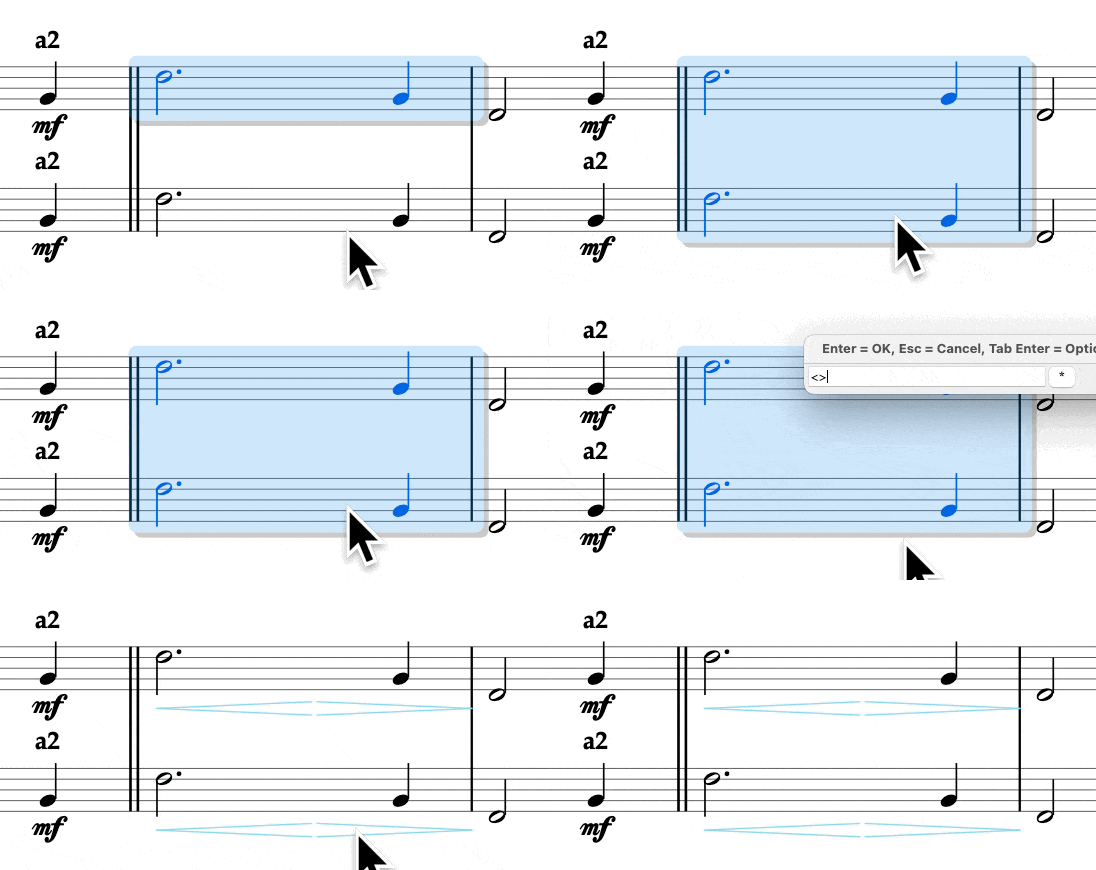
Fast Dynamics in Sibelius
Typing dynamics in Sibelius is fine… until you realize you’ve typed ⌘E more times than actual notes. Select the note, create expression, type pp, escape twice—by bar 50 you’re basically a stenographer.
Finale users love to brag about their “one-touch” dynamics. Fair enough—they’ve had it for years. But Sibelius doesn’t have to be slower. With a few macros and a smarter setup, it can be just as quick—sometimes quicker.
Here’s the system I use: