The Ten-Second Tax
(or: the app you only notice when it's gone)
Geek-o-meter: 1️⃣ 2 3
This kicks off a small summer mini-special on the invisible tools in my stack—the ones that do the most while asking for the least attention. First up: the one I didn't know I leaned on until it vanished.
I picked up my MacBook Air the other day and went to save a file. And I froze. The Save dialog dropped me somewhere generic, and to get where I actually wanted to go I had to click my way down the whole path—folder by folder by folder—like it was 2009.
Something was off. It took me a second to realize what: Default Folder X wasn't running. One quick update later it sprang back to life, and just like that I'd shaved a solid ten seconds off every Open and Save dialog on the machine.
Ten seconds doesn't sound like much. But I open and save files all day—scores, parts, PDFs, exports—and ten seconds, dozens of times over, adds up to real time. Except that's not even the part I care about.
What I care about is the friction. Every time a dialog makes me hunt for a folder, it tugs a thread of attention out of whatever I was actually doing. Deep Work has a name for this—attention residue—the smear the last task leaves behind when you switch. Hunting for a folder is pure residue. It's not the seconds; it's the tug.
Here's what Default Folder X quietly handles so I don't have to:
Favorite folders one click away in every dialog—my project root, Records, the deliverables folder.
A default folder per app, so Sibelius's Save dialog opens where my scores live, not in some system default.
Rebound: it remembers the last folder I used in each app and drops me right back there.
Say Nuendo is filling the entire screen, with two Finder windows open behind it—one on the left, one on the right. As I sweep the mouse toward where each one sits, Default Folder X surfaces its outline and title right over the app; click, and the dialog jumps straight to that folder. No digging, no bringing Finder forward.
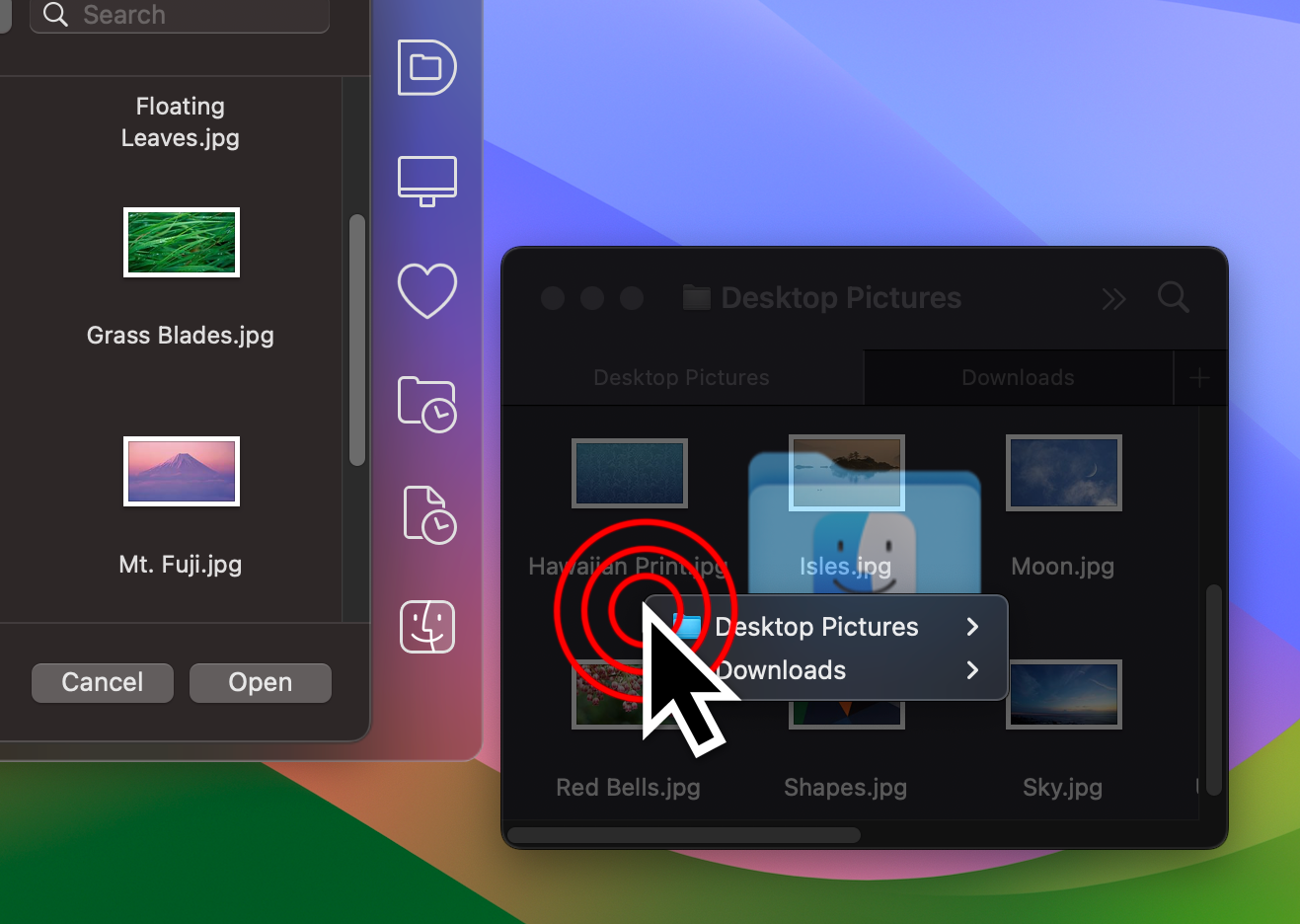
Click on a Finder window to go to it in a file dialog. Right-click on a tabbed Finder window to choose which tab you want. Photo credit: www.stclairsoft.com
None of it is clever. All of it is invisible—which is exactly the point. This is the opposite of productivity prawn. I'm not tweaking it, theming it, or watching a video about it. It sits there doing one small job perfectly, and the only time I think about it is the day it isn't.
That's my favorite kind of tool. Not the one that makes you feel productive—the one you stop noticing, until it's gone and you're suddenly clicking down a folder tree wondering why everything feels ten seconds slower.
Default Folder X is $39.95, with a free 30-day trial.
Try this
Next time a Save dialog drops you in the wrong place, notice the little tug before you start clicking. That tug is the tax. There's a tool for it.